
PERSONAL MEDIA, EVERY SCREEN
让你的媒体库
自然流动。
Flymby 鸿蒙版把媒体服务器、WebDAV、云盘、本地文件与 IPTV 汇聚到一个原生入口, 再把熟悉的个人媒体体验延伸到客厅大屏;Fly云助手则让网盘扫描与媒体整理常驻在自己的 NAS。
从原生鸿蒙与电视大屏,到自行部署的云端媒体助手,让个人媒体在不同设备之间自然衔接。
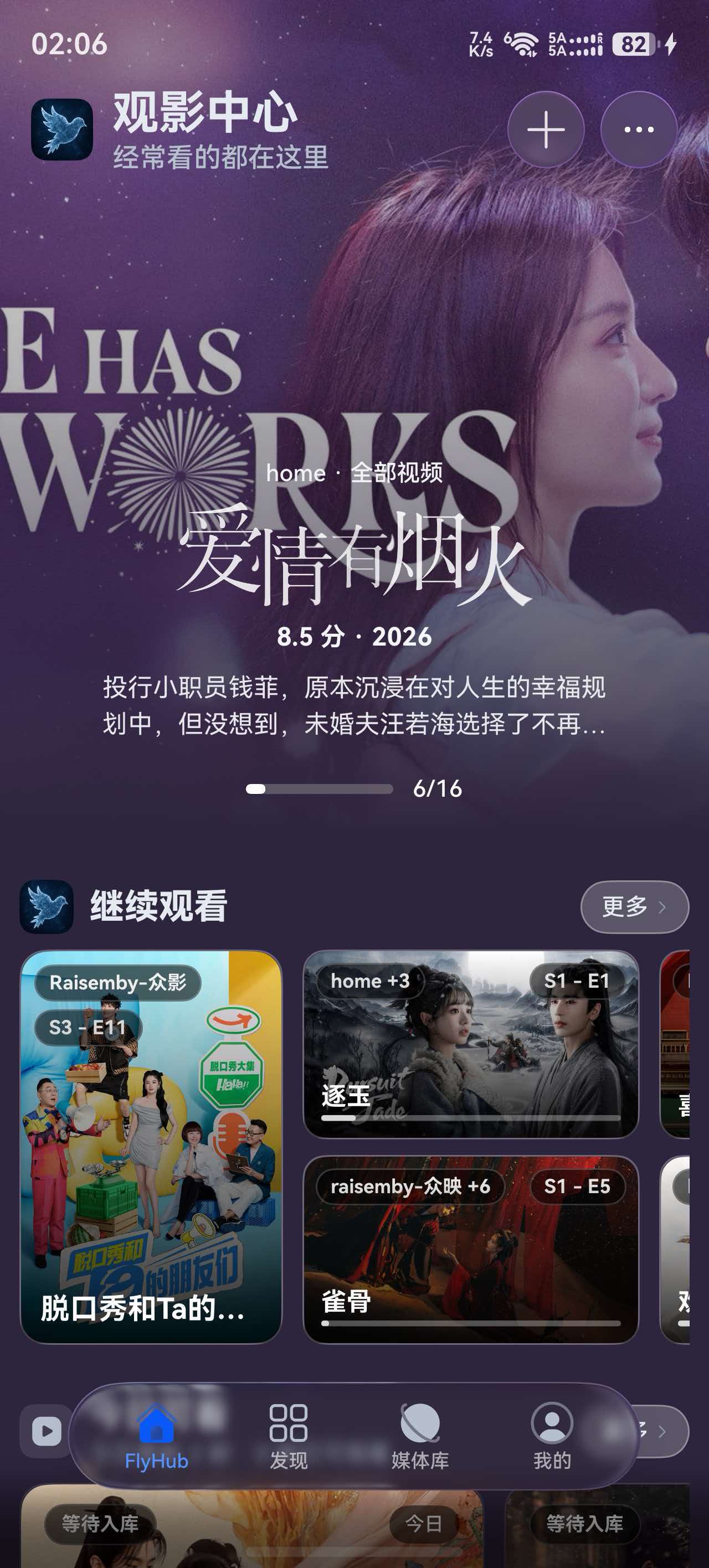
HarmonyOS
原生鸿蒙 · 聚合媒体中心
Flymby 鸿蒙版
Flymby for HarmonyOS不只是 Emby 客户端,而是一体化的原生鸿蒙媒体中心。
把媒体服务器、WebDAV、云盘、本地文件与 IPTV 汇聚到一个入口,在影视、音乐、有声书和直播之间自然切换。
- Emby、Jellyfin、飞牛等视频媒体服务
- WebDAV、阿里云盘、光鸭云盘与本地文件
- 音乐、有声书、播客与 IPTV
- 聚合搜索、收藏与继续播放
- 系统内置与 MPV 双播放器
- 字幕音轨、画中画与离线下载
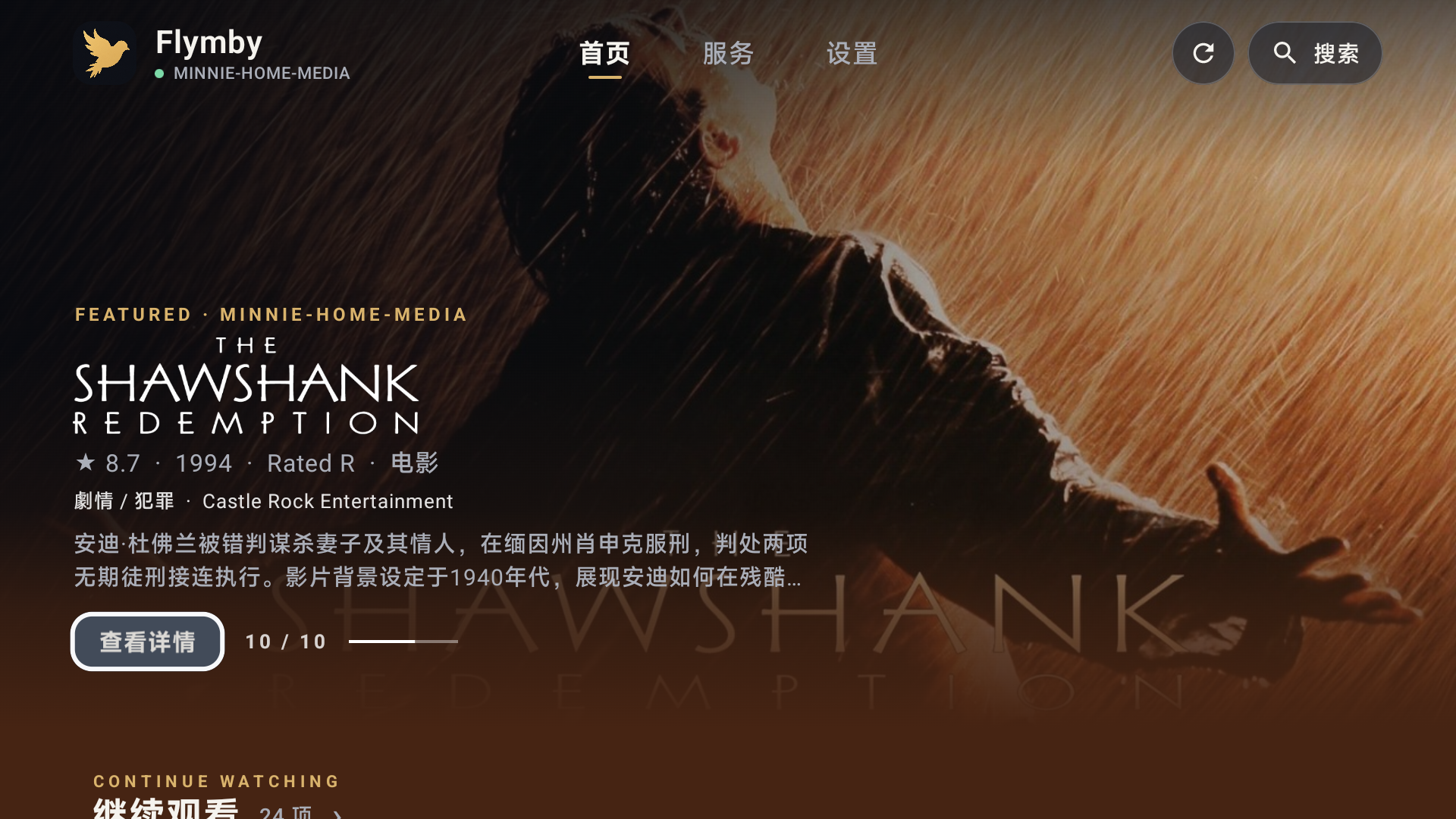
Android TV
Flymby 安卓电视版
Flymby for Android TV为客厅大屏而生的家庭媒体库客户端。
通过遥控器浏览 Emby 与 Jellyfin,在内容、详情和播放之间自然切换,享受清晰专注的影院体验。
- 连接家庭媒体库
- 大屏海报与详情浏览
- 遥控器焦点操作
- 继续观看与进度同步
- 音轨与字幕控制
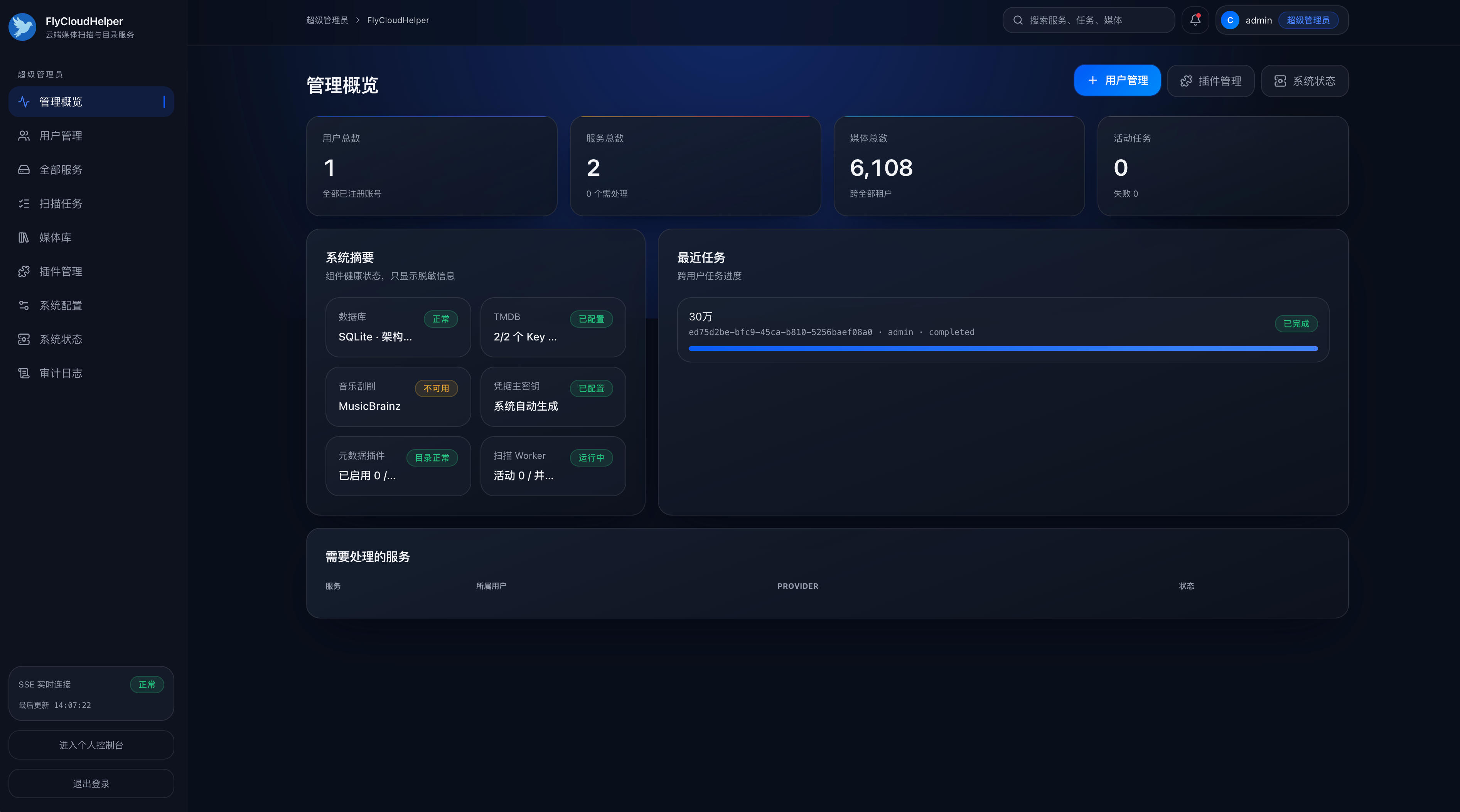
Docker / NAS
自部署 · 云端媒体扫描与目录服务
Fly云助手
FlyCloudHelper把网盘扫描与刮削交给 NAS,让多台设备共享同一份媒体目录。
连接自己的网盘服务,在常驻设备上完成影视扫描、TMDB 刮削与目录持久化,再由 Flymby 读取已经整理好的媒体结果。
- 支持 WebDAV、光鸭、阿里云盘与百度网盘
- 云端影视扫描、识别与 TMDB 元数据刮削
- 扫描进度、检查点、暂停继续与失败重试
- 多用户隔离,每位用户可管理多个云端服务
- 管理后台、媒体海报墙与手动匹配
- 支持 amd64 与 arm64 的 Docker 部署
FLYMBY